
Easy Lover for Chrome
Customize your Lovable toolbar with Easy Lover
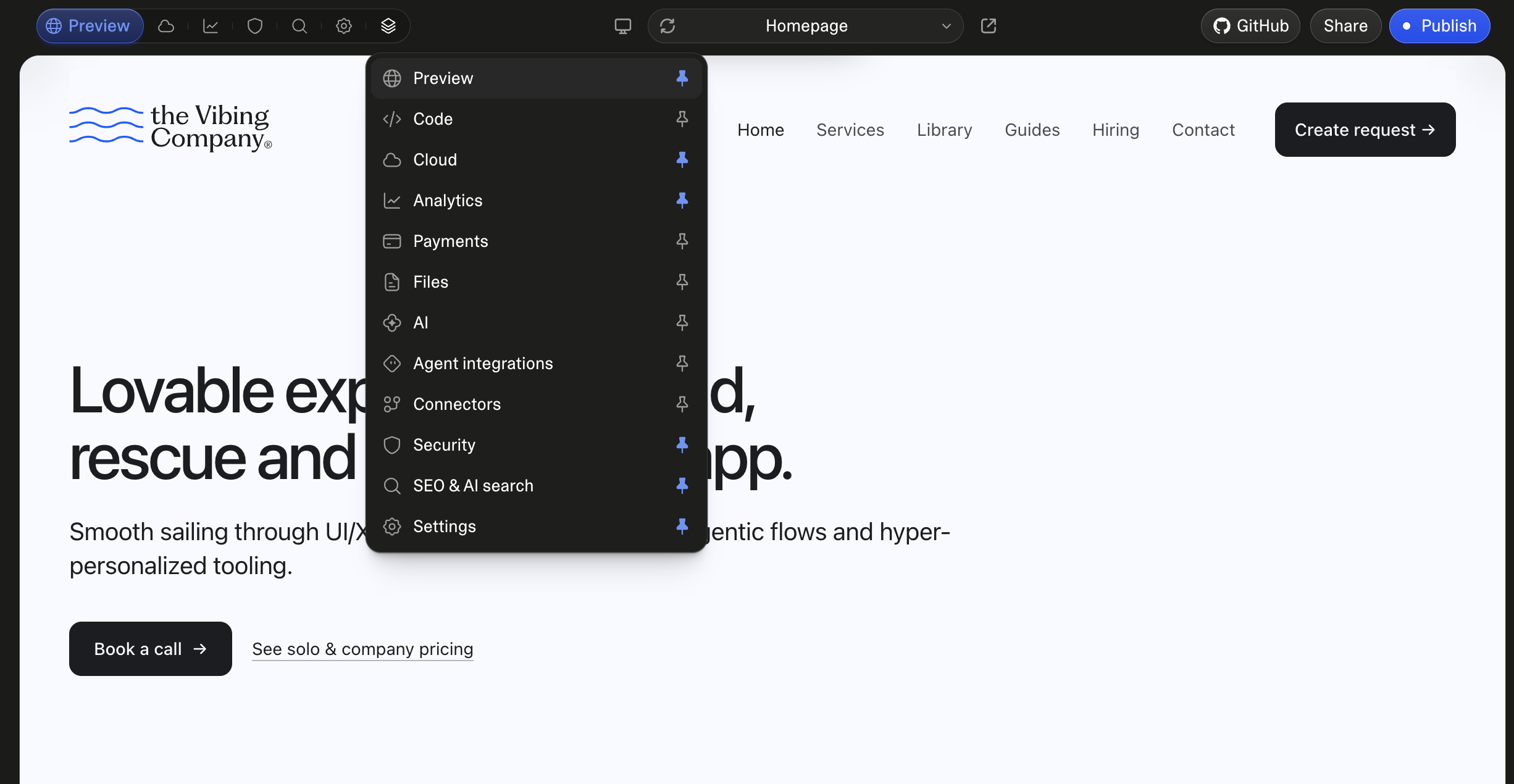
Easy Lover is a Chrome extension that lets you choose which pages appear in your Lovable project toolbar. Pin the tools you use, arrange them in your preferred order, and open GitHub connector settings from a button beside Share.

Inside Lovable
Choose which pages appear in your toolbar.
Open More to see every page in one dropdown. Pin Preview, Files, Analytics, Security, Settings, or any other page you want close at hand. Unpinned pages remain available in More.
How it works
How to customize your Lovable toolbar.
- 01
Pin the pages you use
Open More and click the pin beside a page to add or remove its toolbar shortcut.
- 02
Put them in your order
Drag rows inside More, or use Alt+Up and Alt+Down from the keyboard. The toolbar follows the same order.
- 03
Choose how labels appear
Use the popup to show every label, only the active label, or icons alone. You can also hide the GitHub shortcut, restore defaults, or disable Easy Lover.
Designed to feel at home in Lovable.
A familiar interface
The toolbar follows Lovable's typography, colors, icons, and tab transitions. Pinning animations also follow your system reduced-motion preference.
A direct GitHub shortcut
The optional button beside Share opens Lovable's GitHub connector settings. It never authorizes an account or changes synchronization on its own.
Saved in your Chrome profile
Changes save automatically and apply across your Lovable projects in the same Chrome profile. They stay local and do not sync across devices.
Your toolbar preferences stay in Chrome.
Easy Lover has no telemetry or server of its own. Read exactly what the extension handles and stores in its dedicated privacy page.
Easy Lover questions.
- Does this work across my projects?
- Yes. Your layout applies across Lovable projects in the same Chrome profile. Settings are stored locally and do not sync to other devices.
- Can I still open pages I have not pinned?
- Yes. Open More to find every available page. Pinned pages stay in the list too, so the full editor navigation remains in one place.
- Does the GitHub button connect my account?
- No. The optional shortcut opens Lovable's GitHub connector settings. Connecting an account and changing sync settings remain explicit actions in Lovable's own controls.
- Is this made by Lovable?
- No. Easy Lover is an independent extension and is not affiliated with Lovable.
Install Easy Lover from the Chrome Web Store.
Add the extension to Chrome, then open a Lovable project to customize your toolbar.
Easy Lover is an independent extension and is not affiliated with Lovable.